
Best Flipbook maker without subscription

Looking for a flipbook maker without expensive monthly billing, automatic renewals, or restrictive plans? You are not alone. Many users want a simple way to convert PDF files into interactive flipbooks without being tied to recurring subscriptions. In this guide, we compare the best solutions for creating flipbooks with more control over cost, branding, and publishing.
If you want a browser-based editor with HTML/ZIP export and no monthly subscription, FlipBookPRO Studio is a practical first option.
If you prefer a desktop workflow with offline export, MyFlipbook is a strong alternative.
For fast online publishing, FlipbookPDF.net is another option.
What you’ll find in this guide
- Why users search for flipbook software without subscription
- What “without subscription” really means
- The best tools to consider
- Which option is best based on your workflow
Why users want a flipbook maker without subscription
Many modern flipbook platforms are built around recurring plans. While subscriptions can make sense for teams publishing large volumes every month, they are often not ideal for freelancers, teachers, designers, small businesses, or occasional users.
What “without subscription” really means
Not all “non-subscription” tools work the same way. Some offer a one-time upgrade, some offer yearly PRO access without auto-renewal, and others give you a free tool with optional premium features. The important point is whether you stay in control of the cost and your content.
| Model | How it works | Best for |
|---|---|---|
| One-time software upgrade | You install the software and pay once for more features | Users who want offline access and full control |
| Yearly plan without auto-renewal | You choose to renew manually, without recurring billing surprises | Users who want online hosting with predictable cost |
| Free tool with optional premium | You can start free and only upgrade if needed | Beginners and occasional users |
Best tools to consider
1) FlipBookPRO Studio — best for browser-based creation and export
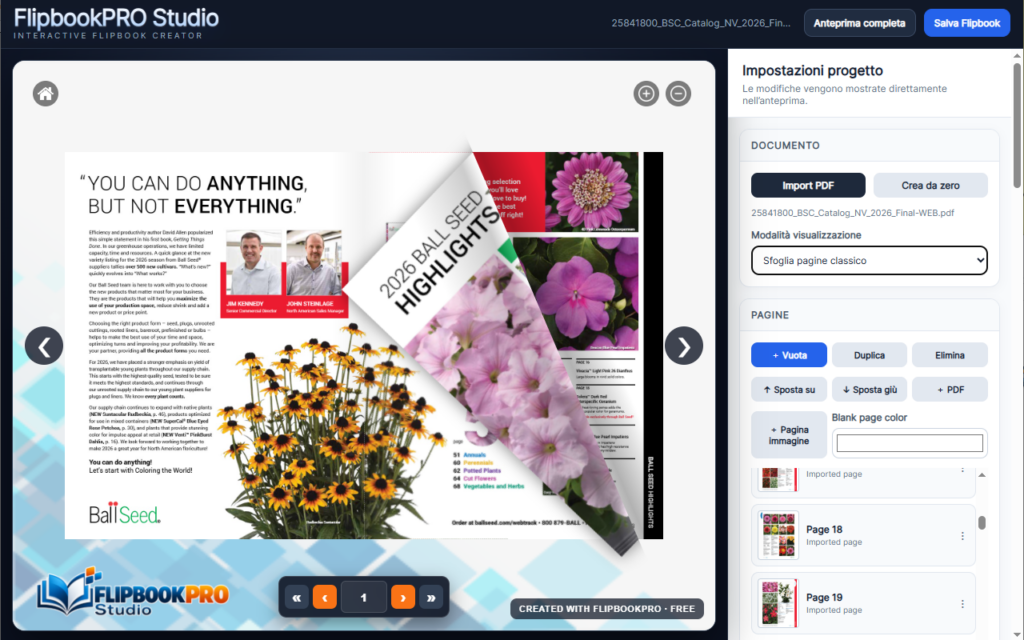
FlipBookPRO Studio is an online flipbook editor that works directly in the browser. You can import a PDF or start from blank pages, then add text, images, links, buttons, video and other interactive elements.
- Create from PDF or from scratch
- Add links, images, buttons, video and custom branding
- Save projects and reopen them later
- Export as self-contained HTML or ZIP for your own hosting
- PDF processing happens directly in the browser
2) MyFlipbook — best for offline use and full ownership
MyFlipbook is a practical choice if you want to create a flipbook from PDF and keep full control over the output. It is available for Windows and Mac, and lets you save your project as a responsive HTML flipbook that can be uploaded to your own site or shared offline.
- Great for users who want to avoid recurring hosting dependency
- Exports HTML that you can keep and publish yourself
- Supports branding, links, video and other interactive elements
3) FlipbookPDF.net — best for quick online publishing
FlipbookPDF.net is aimed at users who want to upload a PDF, convert it quickly and publish it online with a shareable link.
- Fast online conversion and hosted viewer
- Useful for brochures, catalogs and marketing documents
- HTML output download available in PRO
Which one should you choose?
FAQ
Want a flipbook solution without expensive recurring billing?
Start with FlipBookPRO Studio for a browser-based workflow with interactive editing and HTML/ZIP export, or choose a desktop or hosted alternative depending on your needs.